Crystord
Make Template Reports Easy
A streamlined Google Workspace Add-on that brings the power of Crystord's synchronisation directly to your Google Sheets™ and Google Slides™. Transform static presentations into dynamic, data-driven templates with just a few clicks.
How It Works
Dynamic Content Synchronisation
The Crystord Google Workspace Add-on transforms your Google Slides™ into dynamic,
data-driven presentations. Simply mark variables in your slides using curly brackets
(e.g., {{item_name}}) and sync them with values from
your Google Sheets™ at the click of a button.
- Open Google Slides™ and click the expansion arrow to find Crystord in the right sidebar.
- Create your database, open it, and add your variables.
- Click Synchronise to update your slides immediately.
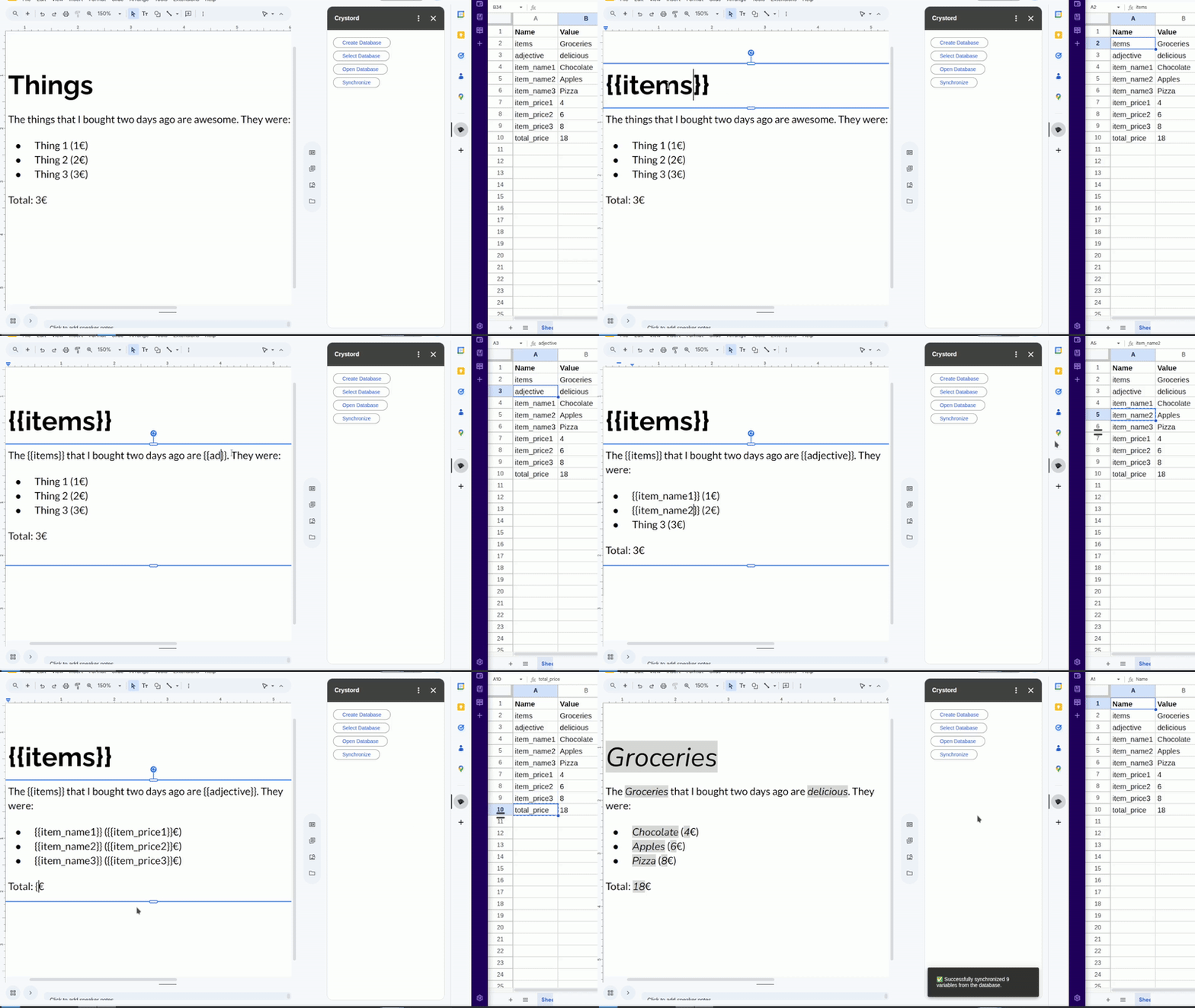
Setting up variables in your Google Slides™ presentation
Instant Updates, Zero Hassle
Make changes in your Google Sheets™ and see them reflected immediately in your presentations. No manual copying, no version control issues, no outdated slides.
Currently focused on Sheets™-to-Slides™ synchronisation, with new features planned for future releases.
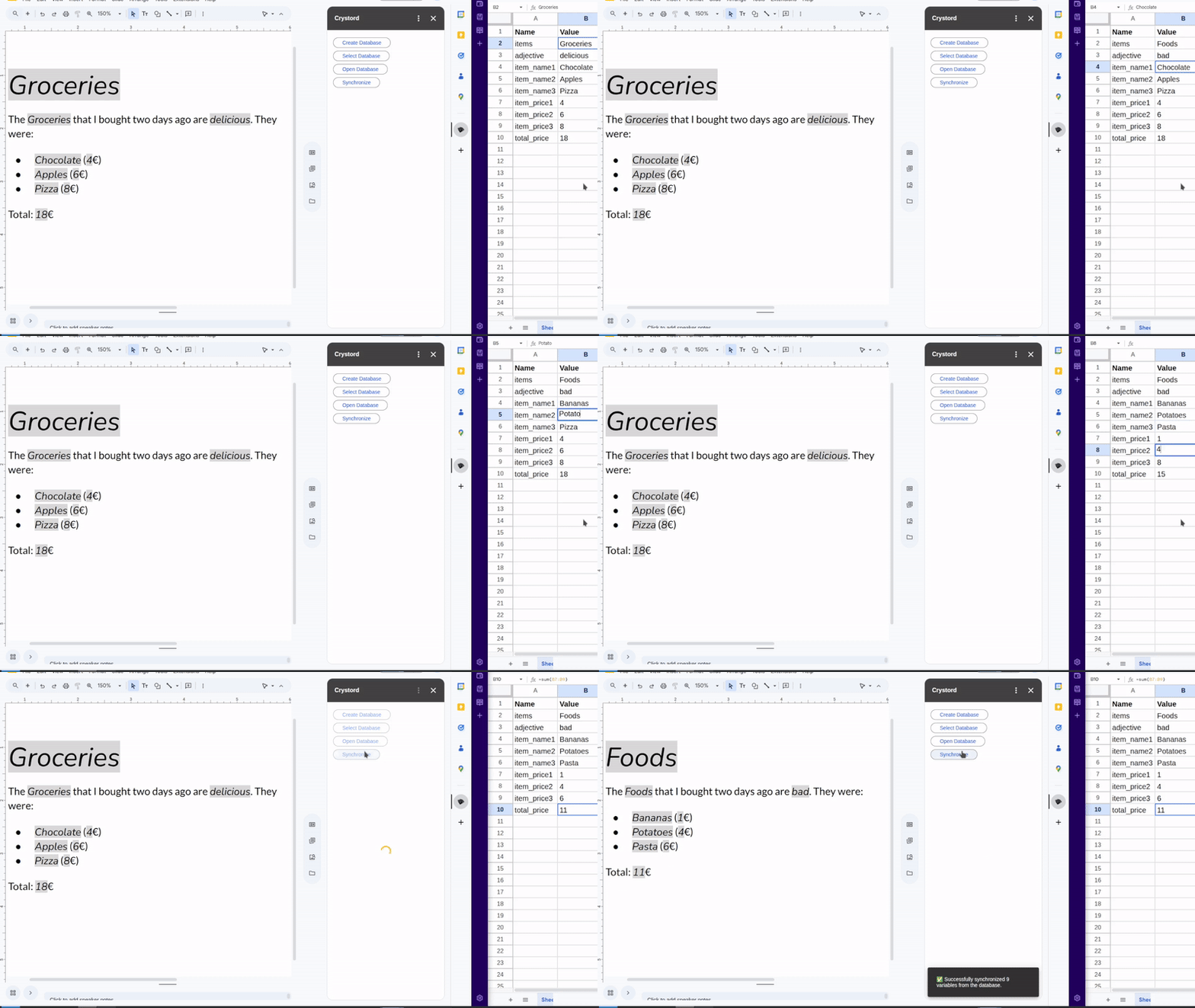
Watch your slides update instantly as you change values in Sheets™
Perfect For
Live Reports
Keep your stakeholder reports always up-to-date with real-time data.
Budget Tracking
Present financial data that updates automatically as numbers change.
Executive Dashboards
Reflect the latest KPIs and metrics without rebuilding slides.
Project Trackers
Monitor progress with presentations that update themselves.
Ready To Transform Your Presentations?
Install the Crystord for Google Slides™ Add-on today and experience data-driven presentations.
Google Sheets™ and Google Slides™ are trademarks of Google LLC.